



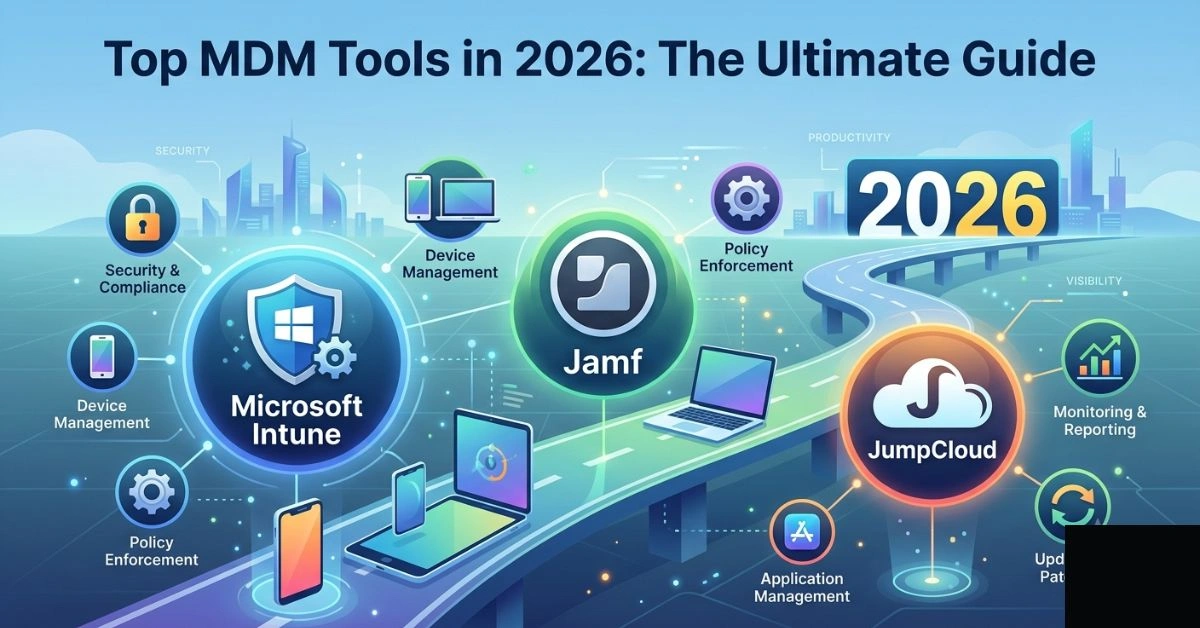
Mobile devices have become the primary workspace for millions of employees. Smartphones, tablets, and laptops handle sensitive corporate data, connect to critical systems, and serve as entry points for threats. Mobile Device Management (MDM) gives IT teams centralized control to enforce security policies, deploy applications, and protect assets without disrupting productivity.
MDM has evolved far beyond simple remote wipe capabilities. Modern solutions handle everything from automated enrollment to AI-driven threat detection, containerization for BYOD environments, and compliance with regulations like GDPR, HIPAA, and CCPA. Organizations ignoring proper device management face data breaches, compliance fines, shadow IT risks, and productivity losses.
Businesses today operate in hybrid and remote models where employees use personal devices alongside corporate ones. Without robust controls, a single lost phone or compromised app can expose customer data or intellectual property. Effective MDM reduces these risks while supporting flexible work.
MDM vs. EMM vs. UEM: Understanding the Differences
People often use these terms interchangeably, but they represent different scopes of management.
Mobile Device Management (MDM) focuses on the device itself. It handles enrollment, configuration profiles, passcode requirements, remote lock and wipe, and basic inventory tracking. It works well for company-owned devices but offers limited app and data separation.
Enterprise Mobility Management (EMM) builds on MDM. It adds Mobile Application Management (MAM), Mobile Content Management (MCM), and identity controls. EMM excels in BYOD scenarios through secure containers that keep work data separate from personal files. It supports app wrapping, secure email gateways, and selective data wiping.
Unified Endpoint Management (UEM) extends further to cover all endpoints: mobiles, desktops, laptops, IoT devices, wearables, and kiosks from one console. UEM integrates with identity providers, provides broader analytics, and supports zero-trust architectures. Most enterprises now seek UEM capabilities even if they start with MDM needs.
Choose based on your environment. A small team with mostly iPhones might start with MDM features, while large mixed fleets need full UEM.
Key Features of Modern MDM Solutions
Effective MDM platforms share core capabilities, but leaders differentiate through automation, integration, and advanced security.
- Device Enrollment and Provisioning: Zero-touch deployment via Apple Business Manager, Android Zero Touch, or Microsoft Autopilot. Admins push configurations without touching devices.
- Policy Enforcement: Passcodes, encryption, OS update management, jailbreak/root detection, and geofencing.
- Application Management: Blacklisting/whitelisting, silent app deployment, version control, and containerization.
- Security and Compliance: Remote wipe (full or selective), threat detection, VPN enforcement, certificate management, and audit logging.
- Monitoring and Analytics: Real-time inventory, usage reports, battery and storage insights, and anomaly detection.
- Remote Support: Screen sharing, command-line access, and troubleshooting tools.
- Integration: With directory services (Azure AD, Google Workspace), SIEM systems, and productivity suites.
- AI and Automation: Predictive threat analysis, automated remediation, and intelligent policy suggestions. Modern tools leverage AI for real-time threat detection and automated device enrollment, reducing manual IT workload significantly. For deeper insights into AI-powered automation strategies, see resources like those at aitrender.net/ai-automation/.
Additional enterprise needs include kiosk mode for shared devices, multi-user support, and offline policy application.
Top MDM Tools in 2026: Detailed Comparison
Several platforms dominate the market. Here’s an overview of leading options based on current capabilities, user feedback, and suitability.
Microsoft Intune: Ideal for Microsoft-centric organizations. Deep integration with Microsoft 365, Entra ID, and Defender for endpoint security. Strong automation, conditional access, and cross-platform support (iOS, Android, Windows, macOS). Pricing starts around $8-10/user/month depending on licensing, often bundled.
Jamf Pro: The gold standard for Apple device management. Excellent zero-touch deployment, macOS and iOS depth, automation workflows, and user self-service. Best for creative agencies, education, and enterprises with heavy Apple adoption. Starts around $4-14/device/month.
JumpCloud: Cloud directory-focused with solid MDM. Good for mixed environments, identity management, and SMBs. Offers patch management and remote access. Pricing around $9/user/month.
VMware Workspace ONE (Omnissa): Enterprise UEM with strong identity integration and broad platform support. Suited for large, regulated organizations needing complex compliance.
Google Endpoint Management: Lightweight for Google Workspace users. Agentless for Android, good for Android-heavy fleets.
Others: Kandji/Iru for modern Apple fleets, Hexnode and Scalefusion for cross-platform affordability, Miradore for simple SMB needs, and IBM MaaS360 for AI-powered security.
Comprehensive MDM Comparison Table
| Tool | Best For | Platforms Supported | Deployment | Key Strengths | Pricing (approx.) | Use Cases |
| Microsoft Intune | Microsoft ecosystems | iOS, Android, Windows, macOS | Cloud | Conditional access, Defender integration, automation | Bundled in M365 (~$8+/user) | Enterprises, hybrid work |
| Jamf Pro | Apple-heavy fleets | iOS, macOS (strong), others | Cloud/On-prem | Zero-touch, automation, self-service | $4-14/device/month | Education, creative, enterprises |
| JumpCloud | Identity + MDM | Multi-platform | Cloud | Directory services, patching | ~$9/user/month | SMBs, mixed devices |
| VMware Workspace ONE | Large regulated enterprises | All major + IoT | Cloud/On-prem | Unified management, compliance | Enterprise (quote) | Finance, healthcare |
| Google Endpoint Mgmt | Google Workspace users | Android focus, others | Cloud | Agentless Android, simplicity | Workspace pricing | Android-first teams |
| Hexnode | Affordable cross-platform | All major | Cloud/On-prem | Granular policies, kiosk mode | $2-6/device/month | Retail, SMBs, compliance |
| Kandji/Iru | Modern Apple management | Apple primary | Cloud | Automated remediation, intuitive UI | ~$3-8/device/month | Design teams, mid-size Apple |
This table highlights trade-offs. Test via free trials, as real-world performance depends on your stack.
Implementing MDM: Best Practices for Success
Start with a clear policy. Define ownership (COPE, CYOD, BYOD), acceptable use, and data handling. Involve legal and HR early for compliance.
Phased Rollout: Pilot with one department, gather feedback, then scale. Use automated enrollment to minimize friction.
Security-First Approach: Enforce multi-factor authentication, encryption, and regular audits. Monitor for shadow IT—employees accessing unauthorized platforms like niche imageboards or forums that could introduce risks. For example, managing access to specialized sites such as those discussed in guides like aitrender.net/gelboodu-anime-imageboard-guide/ helps illustrate content filtering needs and shadow IT prevention on corporate networks.
User Experience Matters: Overly restrictive policies lead to workarounds. Provide self-service portals and clear communication.
Training and Support: Educate users on security hygiene. Offer a reliable remote helpdesk.
Monitoring and Adaptation: Review logs regularly. Update policies as threats and regulations evolve.
Measure success through reduced incidents, faster onboarding, compliance audit pass rates, and user satisfaction scores.
Real-World Use Cases
Retail and Field Services: Kiosk mode on shared tablets for point-of-sale. Geofencing ensures devices work only at store locations. Remote wipe protects against theft.
Healthcare: Secure access to patient records on mobile devices. Compliance features enforce HIPAA controls and audit trails.
Finance: Containerization separates banking apps from personal use. Advanced threat detection blocks phishing in real time.
Education: Student device management with content filtering and age-appropriate restrictions. Teachers get remote control for shared carts.
Remote/Hybrid Teams: BYOD support with selective wiping. Automated compliance checks before granting network access.
Challenges and How to Overcome Them
BYOD Resistance: Privacy concerns arise when managing personal devices. Use containerization and transparent policies.
Cross-Platform Complexity: Different OS behaviors complicate things. UEM platforms with strong vendor support help.
Cost Management: Licensing can add up. Start with core needs and scale. Calculate total cost of ownership including breach risks.
Evolving Threats: AI-powered attacks require AI defenses. Choose vendors investing in machine learning.
Integration Gaps: Ensure compatibility with existing tools. Most modern MDM offers APIs and pre-built connectors.
The Future of MDM: AI, Automation, and Beyond
AI transforms MDM from reactive to proactive. Predictive analytics forecast device failures or compliance drifts. Automated responses quarantine threats instantly. Generative AI assists in policy creation and troubleshooting scripts.
Expect tighter zero-trust integration, better IoT support, and privacy-enhancing technologies like on-device processing. Quantum-resistant encryption may become standard. Vendors will focus on simplicity as non-technical admins handle more tasks.
Sustainability features, such as device lifecycle optimization to reduce e-waste, will gain traction.
FAQs
1. What is the main difference between MDM and UEM?
MDM primarily manages mobile devices, while UEM handles all endpoints including desktops, laptops, and IoT from a single platform.
2. How much does MDM software cost in 2026?
Pricing varies widely. SMB-friendly options start at $2-5 per device/month. Enterprise solutions often use per-user licensing or bundling, ranging from a few dollars to custom quotes. Many offer free tiers or trials for basic features.
3. Can MDM work with BYOD policies?
Yes. Modern solutions use containerization and selective management to protect corporate data without accessing personal information.
4. Is Microsoft Intune the best MDM for everyone?
It excels in Microsoft environments but may feel complex for small teams or Apple-only setups. Evaluate based on your primary ecosystem.
5. How does MDM help with compliance?
It enforces encryption, access controls, audit logging, and data separation required by regulations like GDPR and HIPAA.
6. What should I look for in an MDM trial?
Test enrollment ease, policy application, reporting depth, remote support quality, and integration with your tools. Involve end-users in the pilot.
7. Does MDM slow down devices?
Well-designed solutions have minimal impact. Choose lightweight agents and optimize policies.
8. How do I handle lost or stolen devices?
Most platforms support instant remote lock and selective or full wipe, often with location tracking.
9. Are there free MDM options?
Basic features exist in some tools like Miradore’s free tier or built-in capabilities in Google Workspace and Microsoft 365, but full enterprise features require paid plans.
10. What about data privacy with MDM?
Reputable vendors follow strict privacy standards. Review their policies, especially for BYOD, and use features that limit admin visibility into personal data.
This guide equips you with actionable knowledge to select and implement the right MDM strategy. The landscape shifts quickly—regularly reassess your needs against emerging threats and capabilities. Secure your mobile fleet today to protect tomorrow’s operations.