



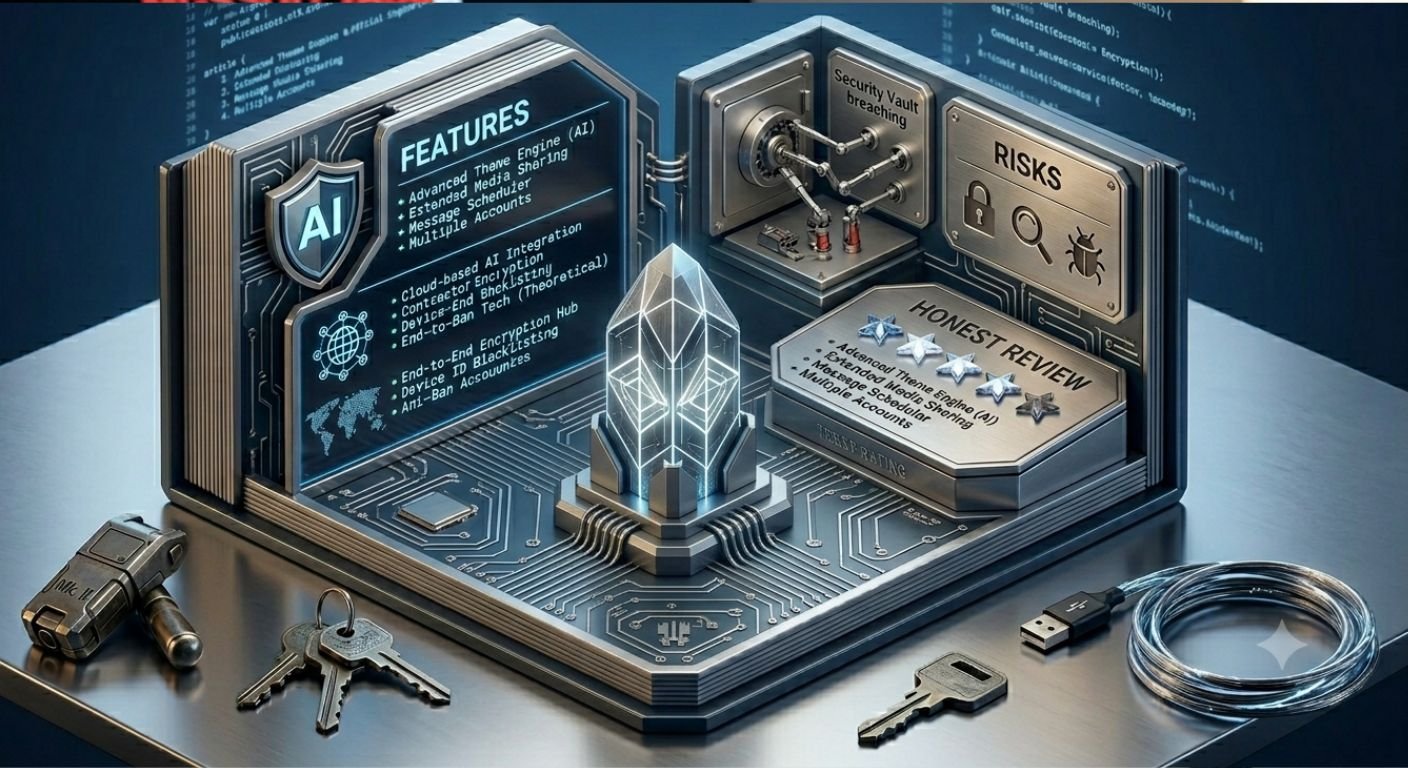
What Is WhatsApp Plus Software?
WhatsApp Plus Software refers primarily to unofficial modified versions of the popular messaging app. These third-party builds tweak the original code to unlock features unavailable in the standard WhatsApp from Meta. Users often seek it out for more personalization, relaxed media limits, and privacy tweaks like hiding online status or read receipts.
Unlike the official app, WhatsApp Plus comes from independent developers who reverse-engineer and alter the base application. This makes it an APK download for Android, not available on Google Play Store. iOS users face even steeper hurdles, usually requiring jailbreaks that introduce additional vulnerabilities.
Over the years, these mods have evolved with claims of anti-ban measures, but Meta actively cracks down on them. Recent reports from 2026 show ongoing temporary and permanent bans for users.
There’s also an official WhatsApp Plus subscription tier launched by Meta in 2026. This paid option adds cosmetic perks like extra pinned chats and themes within the legitimate app. I’ll distinguish clearly between the unofficial “mod” software and Meta’s official premium service throughout this piece, as the distinction matters hugely for safety.
Why People Turn to WhatsApp Plus Software
Many users feel limited by the standard app’s constraints. Official WhatsApp prioritizes simplicity and broad compatibility, but power users want more control. WhatsApp Plus Software promises exactly that: deeper customization without switching platforms.
Common motivations include:
- Heavy media sharers who hit file size caps frequently.
- Privacy-conscious individuals seeking granular controls over visibility.
- Customization enthusiasts are tired of the same green interface.
- Users in regions with data constraints who benefit from better compression options or larger uploads.
That said, these benefits come with trade-offs that many overlook until it’s too late.
Key Features of WhatsApp Plus Software vs. Official WhatsApp
Unofficial WhatsApp Plus variants typically include:
- Hundreds of themes, fonts, and color schemes.
- Ability to hide online status, typing indicators, blue ticks, and last seen completely.
- Increased media sharing limits — often up to 700MB or more for videos and documents without heavy compression.
- Anti-delete options: View messages or statuses even after the sender removes them.
- Extended message editing history and advanced privacy for groups.
- Built-in app lockers with patterns or PINs beyond basic fingerprint support.
Meta’s official WhatsApp Plus subscription, by contrast, offers safer but more limited extras like up to 20 pinned chats, exclusive stickers, custom themes, and ringtones — all while maintaining full end-to-end encryption and official support.
Feature Comparison Table
| Feature | Official WhatsApp | Unofficial WhatsApp Plus Software | Official WhatsApp Plus Subscription |
| Themes & Customization | Basic light/dark, limited wallpapers | 700+ themes, custom fonts, colors, icons | Exclusive themes, icons, ringtones |
| Media Sharing Limits | Up to 2GB (with compression) | Up to 700MB+ often uncompressed | Same as official (up to 5GB in some tests) |
| Privacy Controls | Hide last seen/read receipts | Full hide online/typing/blue ticks | Standard plus cosmetic options |
| Anti-Delete/View Once | Limited | Often allows viewing deleted content | Standard |
| Security/Encryption | Full end-to-end | Compromised or unverified | Full end-to-end |
| Account Ban Risk | None | High (temporary or permanent) | None |
| Updates | Automatic via stores | Manual APK downloads | Automatic |
| Official Support | Full | None | Full |
This table highlights why the modded version appeals yet remains risky.
The Security Risks Nobody Talks About Enough
Using unofficial WhatsApp Plus Software means sideloading an APK from unknown sources. This bypasses Google’s security checks and opens the door to malware.
Developers of these mods can embed code that accesses your contacts, messages, media, and even keystrokes. Reports indicate potential data exfiltration to third parties.
End-to-end encryption, WhatsApp’s flagship security feature, relies on the official client. Modified versions may weaken or bypass this, exposing chats to interception.
Critical Warning:
Never enter sensitive information like banking details or passwords while using any third-party WhatsApp client. The risks far outweigh convenience.
When evaluating software like this, cross-reference independent reviews. For deeper insight into digital security pitfalls and thorough app evaluations, check this honest experience with similar tools.
Institutional systems, such as those used by major banks, employ rigorous protocols to protect user data. Comparing these to third-party messaging mods reveals stark differences in privacy safeguards. For example, official banking channels like Chase maintain strict controls that unofficial apps simply cannot match.
Account Ban Risks: What Actually Happens
Meta does not tolerate modified clients. Their systems detect signature differences and unusual behavior patterns.
Consequences include:
- Temporary bans lasting 24 hours to several days, forcing users back to the official app.
- Permanent bans where the phone number becomes unusable on WhatsApp entirely, even after switching clients.
Anti-ban features in newer WhatsApp Plus builds claim to mask modifications, but success varies. Many users still report bans in 2026 waves.
Once banned, recovering chats becomes difficult. Backups made in the mod may not restore cleanly to the official app.
Installation and Setup: Proceed With Extreme Caution
If you still decide to explore WhatsApp Plus Software:
- Back up your official WhatsApp chats thoroughly via Google Drive.
- Uninstall the official app.
- Enable “Unknown Sources” in Android settings.
- Download the APK from a source you trust (though trust is relative here).
- Install and verify your number.
- Restore backup if compatible.
This process carries immediate risks. Disabling Play Protect or granting broad permissions further exposes your device.
Manual updates mean constantly hunting for new APKs, increasing exposure to malicious fakes.
Performance, Battery, and Usability Impacts
Users often report faster media loading and smoother interfaces in mods due to removed restrictions. However, these gains can come at the cost of higher battery drain from background processes or unstable code.
Compatibility issues arise with new official features. When Meta rolls out updates like Strict Account Settings for high-risk users, mods lag behind.
Legal and Ethical Considerations
Using WhatsApp Plus Software violates Meta’s Terms of Service. While not typically “illegal” in a criminal sense, it breaches the contract you agree to when using the service.
Meta’s aggressive stance protects user safety across the ecosystem. Supporting unofficial mods indirectly encourages an environment where data privacy suffers.
Safer Alternatives to WhatsApp Plus Software
Consider these instead:
- Official WhatsApp with subscription: Get many cosmetic benefits legally.
- Signal or Telegram: Stronger privacy defaults and open-source elements.
- Customization via launchers: Change icons and themes on your home screen without touching the app.
- Built-in WhatsApp features: Many privacy toggles already exist officially.
For most users, the official app suffices when combined with good habits like two-step verification and cautious link handling.
How Updates and Maintenance Work (or Don’t)
Official WhatsApp pushes secure updates automatically. Mods require manual downloads, often from scattered websites prone to hosting outdated or tampered files.
Staying current with mods means balancing ban evasion against new vulnerabilities in old code.
Real User Experiences and Patterns
From forums and reports, satisfaction varies. Some enjoy months of extra features before a ban hits. Others face immediate issues with malware or lost chats.
Heavy users in media-heavy groups praise the file limits. Privacy seekers like the visibility controls but regret data exposure later.
Future of WhatsApp Mods and Meta’s Response
Meta continues investing in detection and official premium tiers to reduce demand for mods. The 2026 official WhatsApp Plus subscription signals a strategy to capture that customization revenue safely.
Expect stricter enforcement. New security layers like enhanced account lockdowns will make mods even harder to maintain undetected.
Practical Tips If You Must Use Mods (Though I Don’t Recommend It)
- Use a secondary number.
- Avoid linking to sensitive accounts.
- Regularly export important chats.
- Monitor for unusual battery or data usage.
- Switch back to the official immediately if warnings appear.
These are damage-control steps, not endorsements.
Chat Backups, Data Portability, and Recovery
Unofficial WhatsApp Plus often supports local backups, but compatibility with official restores is inconsistent. Google Drive backups from mods may fail or corrupt.
Always maintain multiple backup methods. Test restores periodically on a secondary device.
Comparing Security Protocols
Official WhatsApp benefits from Meta’s massive security team, regular audits, and bug bounties. Third-party software lacks this oversight.
This gap mirrors broader differences between regulated institutions and unverified tools. For instance, established financial systems prioritize verifiable protections in ways that unofficial apps cannot.
The Bottom Line on WhatsApp Plus Software
WhatsApp Plus Software delivers tempting extras: richer themes, bigger files, deeper privacy toggles. But it undermines the very security and reliability that make WhatsApp valuable.
The balanced reality is clear. For casual users, official options now cover most needs. For advanced customization, weigh risks carefully or explore legitimate alternatives.
Prioritize your phone number’s longevity and your data’s safety. In messaging, convenience should never eclipse trust.
Exhaustive FAQs About WhatsApp Plus Software
Q1: Can I get permanently banned for using WhatsApp Plus?
A: Yes. Meta issues both temporary and permanent bans. Anti-ban features help some users temporarily but do not eliminate the risk.
Q2: Is WhatsApp Plus safe for chats and media?
A: No. It lacks verified end-to-end encryption guarantees and may expose data to developers or third parties. Stick to official apps for sensitive conversations.
Q3: How do I install WhatsApp Plus without losing chats?
A: Back up in the official app first, uninstall it, install the mod, and attempt to restore. Success isn’t guaranteed, and future official restores may fail.
Q4: Does WhatsApp Plus work on iOS?
A: Not reliably. It usually requires jailbreaking, which voids warranties and introduces severe security holes. Not recommended.
Q5: How do updates work with WhatsApp Plus?
A: Manual only. You must find and install new APKs regularly, increasing risk each time.
Q6: What about chat backup compatibility?
A: Mod backups may not transfer cleanly. Always keep official backups separate.
Q7: Can I use WhatsApp Plus for business accounts?
A: Strongly discouraged. Business accounts face faster and stricter enforcement, potentially losing verified status.
Q8: Are there free alternatives to WhatsApp Plus features?
A: Yes. Use Android launchers for icons/themes, sticker apps, and official privacy settings. Many “Plus” perks have workarounds.
Q9: What should I do if my account gets banned?
A: Switch to an official app immediately. Appeals rarely succeed for mod usage. You may need a new number.
Q10: How does the official WhatsApp Plus subscription compare?
A: It’s safer, fully supported, and maintains encryption. Ideal for users wanting extras without risks.
Q11: Does WhatsApp Plus hide my activity better?
A: It offers more toggles, but using it signals modified behavior that Meta can still detect.
Q12: Is it legal to download WhatsApp Plus Software?
A: Downloading APKs is generally legal, but using them violates WhatsApp’s terms and can result in service denial.
For more information visit Aitrender.