



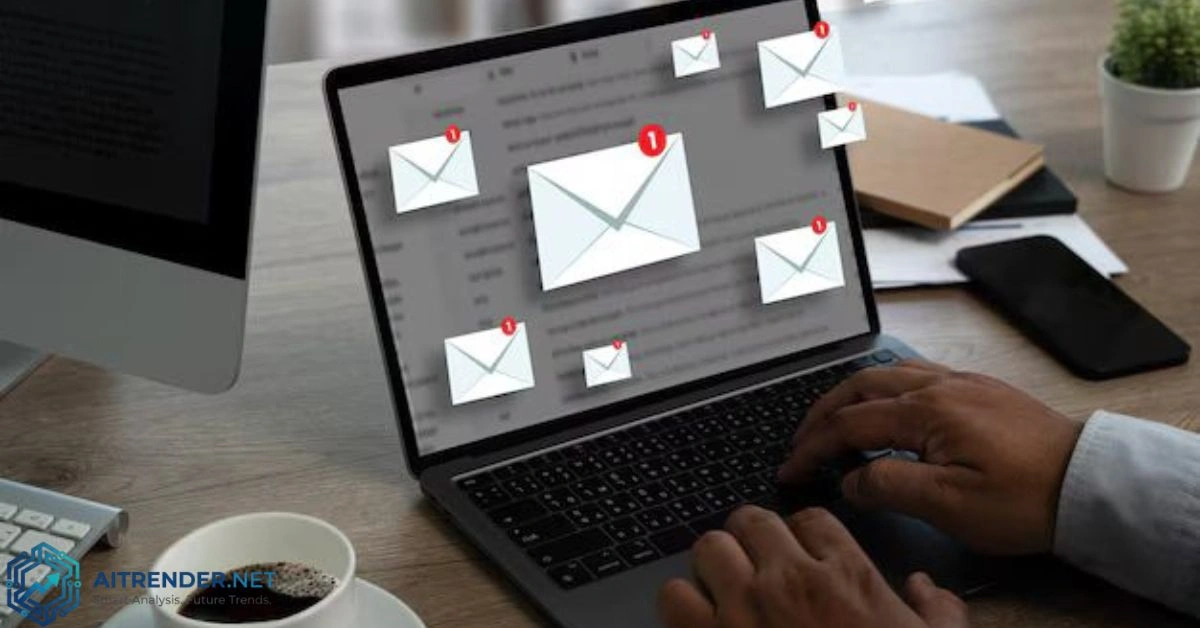
I remember the exact moment it hit me. My wife and I were sitting at the kitchen table on a Tuesday evening, kids finally in bed, when she looked up from her phone with that familiar exhausted sigh. “Another school email about the bake sale, three subscription reminders, and the utility bill alert—all in the last hour. How are we supposed to keep track of this?”
That scene plays out in households across the country every single day. In 2026, email isn’t just a communication tool anymore; it’s become a full-time family logistics hub that’s buckling under the weight of modern life. Parents, partners, and even older kids are collectively deciding that the old way of managing email no longer works. The reasons run deeper than simple annoyance—they touch on how we live, protect our kids, and actually enjoy time together.
The Daily Reality: Email as Family Command Center
Walk into any busy household and you’ll see the pattern. School districts fire off newsletters, permission slips, and emergency alerts. Doctors’ offices send appointment reminders. Banks and utilities ping about bills. Sports teams, music teachers, and grandparents all funnel information through email. One parent might miss a critical update because it landed in the other parent’s inbox, or worse, got buried under promotional noise.
Families aren’t just receiving more emails—they’re juggling multiple accounts, shared responsibilities, and conflicting schedules. A 2026 industry report highlighted how email overload contributes to significant stress, with many knowledge workers (including working parents) spending hours weekly just sorting through it.
Traditional setups—individual Gmail or Outlook accounts with occasional forwarding—create silos. Mom handles school stuff, Dad tracks bills, and the kids’ activity emails get lost in the shuffle. When one parent is traveling or overwhelmed, critical family information falls through the cracks. This isn’t sustainable when both partners often work, kids have packed extracurricular calendars, and life moves fast.
Digital Clutter: The Silent Stressor
Digital clutter isn’t a trendy buzzword; it’s a tangible drain. Inboxes balloon with thousands of unread messages, old receipts, forgotten threads, and automated notifications. Parents report spending precious evening hours sifting instead of connecting with their kids or unwinding.
The problem compounds because email serves as the default notification system for nearly everything. School apps, smart home devices, subscription services, and family-shared drives all link back to email. Without deliberate management, it becomes a black hole of anxiety.
Many families describe a cycle: open inbox, feel overwhelmed, close it, repeat. This mental load affects decision-making, sleep, and relationships. One parent I spoke with compared it to “having a leaky faucet in your brain that never stops dripping.”
Privacy and Security Concerns in a Family Context
Privacy issues hit differently when kids are involved. Email addresses tied to family members often link to sensitive data—school records, medical info, financial details. Shared family emails or devices logged into personal accounts create vulnerabilities.
In 2026, with evolving children’s privacy regulations like updated COPPA rules emphasizing parental consent, data retention limits, and protections against unauthorized sharing, families are paying closer attention. Breaches exposing family emails can lead to targeted phishing, identity theft risks for kids, or unwanted data collection by apps and services.
Parents worry about:
- Kids accidentally clicking malicious links in spoofed school emails.
- Third-party services harvesting family data from shared inboxes.
- Long-term digital footprints affecting college admissions or future opportunities.
Smart home integration adds another layer. Devices from thermostats to security cameras often send alerts via email, creating another entry point for potential exploits if not properly secured.
The Rise of Family-Centric Coordination Tools
This frustration has fueled adoption of tools designed for households, not just individuals or businesses. Apps like Maple combine shared calendars with email integration, automatically pulling key dates from school messages. Other platforms offer family task managers, secure shared inboxes, and AI that summarizes threads or extracts action items.
These tools address the core mismatch: email was built for one-to-one or one-to-many business communication, not the messy, multi-directional flow of family life. Modern solutions emphasize:
- Shared family inboxes with role-based access.
- AI triage that prioritizes kid-related or urgent household messages.
- Seamless integration with calendars, to-do lists, and even grocery apps.
- Better privacy controls, like end-to-end encryption options or family-specific domains.
Families using custom domain email hosting report easier management of matching addresses (like kids@familyname.com) and centralized billing.
Traditional Email Setup vs. Modern Family Email Management Systems (2026 Trends)
A comparison helps clarify the shift:
| Aspect | Traditional Email Setup | Modern Family Systems (2026) |
| Organization | Individual inboxes, manual folders/labels | AI-powered triage, shared views, auto-categorization |
| Access & Collaboration | Forwarding/CC chains, shared passwords (risky) | Delegated access, internal comments, role permissions |
| Privacy & Security | Basic 2FA, provider defaults | Family-specific encryption, data retention controls, audit logs |
| Integration | Limited; manual calendar entry | Direct pulls from emails to calendars/tasks/smart home |
| Clutter Management | Manual unsubscribes, search-dependent | Bulk cleanup tools, AI summaries, proactive filtering |
| Family Fit | One-size-fits-all | Built for multi-user households, kid-safe features |
| Time Savings | High ongoing effort | Significant reduction via automation |
This table isn’t theoretical—families implementing modern approaches report reclaiming hours weekly.
Actionable Steps to Modernize Your Family’s Email
You don’t need a complete overhaul overnight. Start small and build habits that stick.
1. Audit and Declutter Ruthlessly
Set aside an hour as a family. Go through primary inboxes together:
- Unsubscribe from everything non-essential using tools like built-in unsubscribe links or services that batch the process.
- Archive or delete old emails in bulk (most providers allow searching by date).
- Create a “family archive” folder for important documents like tax-related or medical records.
2. Establish Family Email Rules
Agree on protocols:
- Designate a primary family email for all school, medical, and household services.
- Use labels or folders like “Kids-School,” “Bills,” “Travel.”
- Set times for collective inbox checks (e.g., after dinner) rather than constant notifications.
3. Leverage AI and Automation
2026 email clients and add-ons excel here. Use AI to:
- Summarize long threads.
- Extract calendar events from emails automatically.
- Flag high-priority family messages.
- Auto-sort newsletters and promos.
Popular options include enhanced Gmail/Outlook with AI assistants, or dedicated family tools.
4. Prioritize Privacy
- Enable strong authentication everywhere.
- Use separate accounts for kids where appropriate, with parental oversight.
- Review app permissions regularly and limit data sharing.
- Consider privacy-focused providers or family plans with better controls.
5. Integrate with Broader Family Systems
Don’t stop at email. Connect it to:
- Shared calendars that auto-populate from messages.
- Task apps for follow-ups (e.g., “RSVP to soccer”).
- Secure cloud storage for attachments.
- Smart home dashboards for unified alerts.
6. Teach Kids Responsible Email Habits
Older children benefit from their own monitored accounts. Show them how to manage notifications, spot phishing, and maintain digital hygiene. This builds lifelong skills while reducing parental load.
7. Regular Maintenance Rituals
Treat email like household chores—schedule monthly “inbox resets” as a family activity. Make it less daunting by pairing with something enjoyable, like music or snacks.
Real Families Making the Switch
Sarah, a mother of three in suburban Chicago, switched to a family-oriented platform after missing a critical IEP meeting notice. “Now everything school-related goes into one shared view with auto-calendar ads. My husband and I both see it instantly, and AI flags anything urgent. It cuts our stress in half.”
Another family adopted a custom domain setup with delegated access. They report fewer missed bills and easier handoffs when one parent travels for work.
These aren’t isolated stories. The trend reflects broader shifts toward intentional digital living amid rising awareness of mental load and data risks.
Overcoming Common Roadblocks
“It’s too complicated to change.” Start with one inbox or one tool. Many modern apps import existing emails seamlessly.
“We like our current provider.” You don’t have to switch everything. Layer management tools on top of Gmail or Outlook.
“Cost concerns.” Many solid options have free tiers or affordable family plans. The time saved often outweighs subscription fees.
“Kids won’t follow rules.” Involve them in setup and use parental controls. Consistency from parents models good behavior.
Looking Ahead: Email’s Evolving Role in Family Life
By late 2026 and beyond, expect deeper integration with AI agents that handle routine family coordination—booking appointments, summarizing school weeks, or even drafting responses. Privacy regulations will likely tighten further, pushing tools toward better defaults.
The goal isn’t eliminating email but making it serve families rather than dominate them. Households that rethink their approach gain more than organized inboxes; they gain mental space for what matters most.
FAQS: Family Email and Digital Organization
1. What is the best way to set up email for a family in 2026?
A hybrid approach works well: individual accounts for personal use plus a shared family email or managed shared inbox for household matters. Tools with family plans or custom domains simplify this. Consider privacy features and integration capabilities.
2. Should we use a shared family email account?
It depends. True shared logins carry security risks. Better alternatives include delegated access, shared inboxes with permissions, or forwarding rules to multiple personal accounts.
3. How do I protect my kids’ privacy with family email?
Use strong, unique passwords and 2FA. Monitor accounts, enable privacy settings, avoid sharing sensitive info unnecessarily, and choose services compliant with children’s data protections. Teach kids not to click suspicious links.
4. What tools help manage family email clutter?
AI-powered clients like enhanced Gmail, Outlook with Copilot, or specialized apps (Shortwave, Spark, family-focused platforms). Unsubscribe services and bulk cleanup tools are essential.
5. How often should families do a digital declutter?
Monthly quick cleans plus a deeper quarterly review. Treat it as ongoing maintenance rather than a one-time project.
6. Can smart home devices make email management worse?
They can add notifications, but many integrate with better filtering or unified apps. Review settings to consolidate alerts.
7. Is switching email providers worth it for families?
If your current setup lacks features or has poor privacy, yes—especially to family hosting plans. Test with forwarding first.
Reclaiming control over family email isn’t about perfection. It’s about creating systems that reduce friction so you can focus on raising kids, building memories, and enjoying the present. In 2026, the families thriving digitally are the ones who stopped accepting the default chaos and built something better suited to real life.
For More Information Visit Aitrender.