


If you spend any time scrolling TikTok, Instagram Reels, or YouTube Shorts, you’ve seen them: clean, narrated clips with bold text captions, relevant background footage, and a voice that sounds human enough to keep you watching. Many of those videos come from tools like Wava AI.
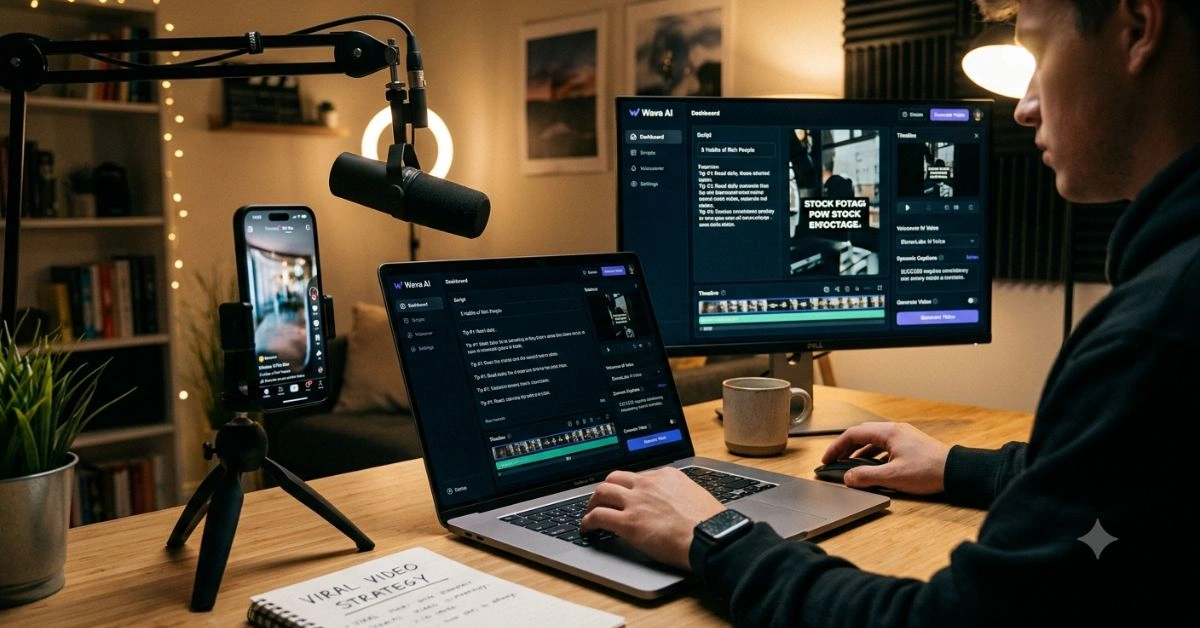
Wava AI is a browser-based platform designed specifically for short-form, faceless video content. You input a script or topic, and it handles voiceover, captions, stock footage selection, timing, and final assembly. No camera, no editing software, and no on-camera presence required.
This guide covers everything you need to know: what it actually does, how to use it effectively, where it shines and falls short, pricing details, comparisons, and strategies that real creators use to get results. No hype, just practical information based on how the tool works today.
What Exactly Is Wava AI and Who Is It For?
Wava AI targets creators who want to publish consistently on short-form platforms without the usual production headaches. Think side-hustle YouTubers, niche educators, product marketers, Reddit story channels, motivational accounts, or anyone testing content ideas quickly.
The core promise is speed. Users report generating complete videos in under a minute once they have a script. It runs entirely in your browser, so it works on laptops, Chromebooks, or even decent tablets—no high-end hardware needed.
Key formats it supports:
- Text Story Videos: Bold, line-by-line captions synced to narration over background clips. Perfect for storytelling, facts, or listicles.
- Split Screen Clips: Dual visuals, often used for reaction-style or comparison content with AI narration.
- Custom Voiceover Projects: Bring your own script and generate narration with options for ElevenLabs integration or custom voice import.
It also includes an image generator and auto-captions, which helps with accessibility and watch time.
This makes it especially useful for faceless channels. Many creators run multiple accounts across niches without ever showing their face or recording audio themselves.
How Wava AI Works: Step-by-Step Breakdown
The workflow is straightforward, which is one of its biggest strengths for beginners.
- Sign Up and Choose a Starting Point Head to wava.ai and create an account. The free tier lets you test the waters with limited generations.
- Input Your Content Paste a script, enter a topic for AI generation, or upload elements. The AI can generate stories from prompts, which saves time if you’re stuck on ideas.
- Select Style and Options Choose format (text story, split screen, etc.), voice (multiple languages and styles via ElevenLabs), caption style, and background preferences.
- Generate The tool assembles everything: selects or generates visuals, syncs narration, adds captions, and produces the final video. Generation speed depends on your plan—higher tiers are noticeably faster.
- Edit and Export Basic customization is available post-generation. Download in formats suitable for social platforms.
The entire process can take minutes once you’re familiar. This is where it beats traditional editing for high-volume publishing.
Core Features That Matter for Creators
Wava AI focuses on the elements that drive engagement in short-form video:
- AI Voiceovers: Powered by high-quality options like ElevenLabs. Voices sound natural, with control over tone, pacing, and emotion. Custom voice import lets you clone a specific style.
- Visual Assembly: Automatically pulls relevant stock footage or generates images. Background clips keep the video dynamic without manual searching.
- Auto Captions: Bold, timed text that pops on screen. Essential for silent scrolling and accessibility.
- Script Tools: Built-in generation for turning topics into structured stories.
- Multi-Format Support: Optimized outputs for different platforms.
- Browser-Based: No downloads or installations. Works anywhere with internet.
These features combine to let one person act as writer, narrator, editor, and producer.
Feature Comparison Table
| Feature | Wava AI Basic | Wava AI Pro | Wava AI Elite | Typical Competitor (e.g., basic alternatives) |
| Videos per Month | 30 mins | 60 mins | 150 mins | Varies, often credit-based |
| Generation Speed | Standard | Max | Ultra | Standard to slow |
| ElevenLabs Voiceover | Yes | Yes | Yes | Limited or extra cost |
| Custom Voice Import | Yes | Yes | Yes | Rare in entry plans |
| Image Generator | Yes | Yes | Yes | Separate tool needed |
| Auto Captions | Custom | Custom | Custom | Basic |
| Background Clips | Free included | Free included | Free included | Stock library fees |
| Priority Support | Standard | Priority | Premium | Email only |
| Price (Monthly) | $19 | $29 | $69 | $20–$100+ |
This table shows clear scaling with usage. Higher plans make sense once you commit to regular posting.
Getting Started: Practical Tips for Better Results
Success with Wava AI starts with input quality. Garbage in, garbage out still applies.
Script Writing Best Practices:
- Keep sentences short and punchy for narration.
- Structure with hooks in the first 3 seconds.
- Use natural transitions that sound conversational.
- Include calls to action at the end.
Prompting for AI Story Generation:
Be specific. Instead of “tell a story about productivity,” try “Create a 45-second motivational story about overcoming procrastination with three real-world examples, ending with a strong CTA.”
Voice Selection:
Test different voices for your niche. Energetic for motivation, calm for explanations, authoritative for facts.
Visual Matching:
Review generated footage and regenerate if it doesn’t fit. Higher plans give more flexibility here.
Platform Optimization:
- TikTok: Vertical, high-energy, trending audio consideration (even if AI-narrated).
- Instagram Reels: Strong hooks and text overlays.
- YouTube Shorts: Slightly longer, SEO-friendly titles and descriptions.
Many creators batch 5–10 videos in a session, then schedule them across days.
Real-World Use Cases and Strategies
Faceless Story Channels: Reddit stories, true crime lite, or “did you know” facts perform well. Wava handles narration and visuals efficiently.
Product Promotion: Marketers create demo-style or benefit-focused clips quickly. Combine with custom images for a branded feel.
Educational Content: Break down complex topics into bite-sized explanations. Great for tutors or coaches building authority.
Testing Ideas: Generate multiple variations of the same topic to see what resonates before investing more time.
One effective strategy is the “content pillar” approach: Create a long-form piece elsewhere, then use Wava to spin off 10–15 short clips promoting it. This drives traffic back to your main content.
For governance and broader AI implications in content creation, check this thoughtful piece on AI transformation challenges. It highlights why tools like Wava matter for individual creators navigating fast-changing landscapes.
Pros and Cons: Honest Assessment
Strengths:
- Extremely fast from idea to published video.
- No technical skills required.
- Quality voiceovers included.
- Consistent output for high-volume needs.
- Affordable entry point compared to hiring editors.
Limitations:
- Background footage can feel repetitive after heavy use.
- Limited deep customization versus manual editing.
- Customer support has mixed feedback—some users report delays.
- Billing and cancellation processes need careful attention.
- Creative control is good but not total; results vary with input.
Trustpilot scores around 2.7 reflect support and billing issues more than the core product. Test thoroughly on the free tier.
Pricing and Value Breakdown
Wava uses a minutes/credits model rather than strict per-video limits, which feels fairer for variable content lengths.
- Free: Limited generations for testing.
- Basic ($19/mo): Solid for beginners or light users.
- Pro ($29/mo): Best balance for most active creators.
- Elite ($69/mo): For teams or heavy publishers.
Yearly billing reduces costs significantly. Factor in time saved—many users say it replaces hours of editing, making the ROI clear at scale.
How Wava AI Compares to Alternatives
Wava stands out for simplicity and speed in faceless short-form. Tools like CapCut or Descript offer more manual control but require more effort. Advanced platforms (Runway, Pika, etc.) excel at generative visuals but cost more and have steeper learning curves for narration + editing combos.
For creators focused purely on quick, narrated stories with stock elements, Wava often wins on workflow efficiency. If you need complex animations or full custom production, you might layer it with other tools.
Advanced Strategies for Better Performance
Track what works: Pay attention to retention graphs on each platform. Use high-performing scripts as templates.
Combine with analytics: Export videos and post, then analyze. Refine prompting based on data.
Batch smartly: Spend one day scripting, one day generating, one day optimizing thumbnails/titles.
Cross-promote: Use Wava clips to drive to longer content or email lists.
Stay updated: AI tools evolve quickly. Check Wava’s updates regularly for new voices, templates, or integrations.
Common Questions and Troubleshooting
Users often wonder about output quality consistency. It improves dramatically with better scripts. If videos feel generic, invest time in unique angles and specific details.
Export issues? Ensure your browser is up to date and you have stable internet during generation.
For platform-specific problems like shadowbans, remember AI content isn’t inherently penalized—quality and value matter more.
The Bigger Picture: AI Tools in Content Creation
Tools like Wava AI lower barriers dramatically. One person can now produce at the volume previously requiring a team. This shifts competition toward ideas, niches, and audience connection rather than production polish.
That said, human oversight remains crucial. The best results come from creators who guide the AI with strong writing and strategic thinking. For interesting case studies on AI’s real-world impacts, including unexpected events, see discussions around cases like the AI 174 flight diversion.
Ultimately, success depends on consistent publishing, genuine value, and understanding your audience—not the tool itself.
FAQS
1. Is Wava AI free to use?
There’s a limited free tier for testing. Paid plans start at $19/month for meaningful usage.
2. How long does it take to create a video?
Most users report under a minute for generation after setup, though script writing adds time upfront. Higher plans speed up processing.
3. Do I need video editing experience?
No. That’s the main appeal. The tool handles assembly automatically.
4. Can I use my own voice?
Yes, custom voice import is supported across paid plans.
5. What platforms is it best for?
TikTok, Instagram Reels, and YouTube Shorts. Outputs are optimized for vertical short-form.
6. Is customer support good?
Feedback is mixed. Many get by without it, but some report slower responses. Test the product first.
7. Will my videos look generic?
They can if you use basic prompts. Strong, unique scripts and selective regeneration produce more distinctive results.
8. Can I cancel anytime?
Yes, but review the process carefully before subscribing to avoid issues reported by some users.
9. How does it handle different languages?
Multiple language support through voice options, making it useful for international creators.
10. Is it worth the money?
For consistent publishers who value time, yes. Light or experimental users might stick to free tiers or alternatives initially.
Wava AI represents a practical step in accessible AI content tools. It won’t write your next viral hit for you, but it removes most technical barriers so you can focus on what matters: ideas that connect with people. Start small, experiment, and build from there. The platform continues to evolve, so staying hands-on will serve you best.
For More Information Visit Aitrender.