


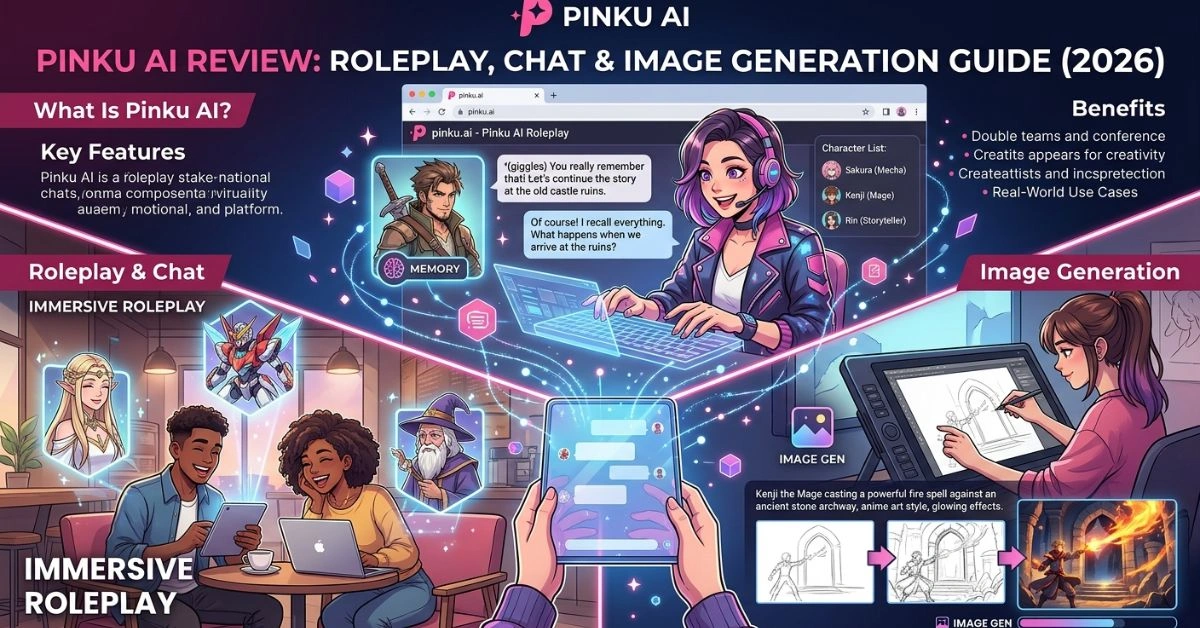
People searching for Pinku AI usually want a straightforward way to interact with AI characters through conversation and visuals. Pinku AI delivers exactly that: a browser-based platform where you chat with a wide variety of characters—many anime, game, or cartoon-inspired—while generating images that match the scene or description in real time.
It stands out for its focus on roleplay, long-term memory that keeps conversations consistent over time, and an ad-free experience even on the free tier. Whether you are exploring creative storytelling, casual chats, or building ongoing narratives, the platform makes it easy to jump in without downloads or complicated setups.
This guide covers everything from the basics to advanced tips, based on how the tool actually works, user feedback patterns, and practical testing considerations.
Quick Facts About Pinku AI
| Aspect | Details |
| Product Name | Pinku AI |
| Category | AI Roleplay & Character Chat with Image Gen |
| Primary Use | Immersive conversations and visual storytelling with AI characters |
| Key Features | Long-term memory, real-time image generation, community characters, video beta |
| Pricing | Free tier + paid plans starting ~$4.89/mo (billed annually) |
| Website | pinku.ai |
| Target Users | Roleplayers, anime fans, storytellers, casual users |
1. What Is Pinku AI?
Pinku AI is a web platform designed for roleplaying and chatting with AI-powered characters. Users select or create characters and engage in text conversations while requesting images that visualize the interaction.
It emphasizes anime, gaming, and cartoon styles but includes broader options. The platform runs entirely in the browser—no apps needed (and official warnings exist about unofficial mobile clones).
It grew from a smaller independent project into one with hundreds of thousands of users, driven by community input for new characters and styles.
2. How Pinku AI Works
You visit pinku.ai, browse or search characters, and start chatting. The AI maintains context across messages, remembering past details for more natural ongoing interactions.
During chats, you can describe scenes or actions and request images. The system generates them on the fly in various styles. Long-term memory helps continuity over days or weeks.
Premium users get higher generation limits, better resolution, no watermarks, and early access to features like image-to-video conversion.
The interface stays simple: character profiles, chat window, and generation tools integrated directly.
3. Key Features of Pinku AI
- Character Library: Hundreds of pre-made characters with multiple style variations (e.g., different outfits, art styles for the same figure).
- Custom Image Generation: Request images within chats that fit the narrative.
- Long-Term Memory: Conversations retain context across sessions.
- Ad-Free Experience: Available across tiers.
- Community Contributions: Users can suggest or vote on new characters and styles.
- Video Generation (Beta): Convert images or generate short clips in higher plans.
- Multiple Styles: Thousands of style presets for consistent or varied visuals.
Pinku AI Features Comparison Table
| Feature | Free Tier | Lite/Standard | Premium/Elite |
| Chat Messages | Limited | Unlimited | Unlimited |
| Image Generations | Low | 150–500+ | 1000–5000+ |
| Resolution Enhancement | Basic | x1.5–x2 | x3+ |
| Watermarks | Yes | Yes/No | No |
| Video (Beta) | Limited | Available | Higher limits |
| Priority & Support | No | Basic | Higher tiers |
4. Benefits of Using Pinku AI
Users appreciate the ease of starting conversations without setup. The integrated image generation adds a visual layer that makes roleplay more engaging than text-only tools.
Long-term memory reduces repetition and supports deeper stories. The free tier offers a genuine way to try it out, and community focus means characters evolve based on real preferences.
It provides a creative outlet for storytelling, fan fiction inspiration, or simply relaxing chats. Many note the platform’s responsive updates.
5. Real-World Use Cases
- Creative Writing: Authors test dialogue or visualize scenes with characters.
- Anime & Game Fans: Roleplay as or with favorite characters in alternate scenarios.
- Casual Companionship: Daily chats for entertainment or light interaction.
- Story Development: Build branching narratives with visual references.
- Community Sharing: Discuss or share creations within the ecosystem.
It also serves hobbyist character creators who want quick visuals alongside personality simulation.
6. Who Should Use Pinku AI?
It suits beginners curious about AI roleplay, experienced roleplayers seeking visuals, and anyone interested in anime-style interactions. Professionals in creative fields may use it for ideation.
It works best for those comfortable with browser-based tools and who enjoy character-driven storytelling. Users sensitive to strict content filters on other platforms often explore here, though standard policies apply.
7. Pricing and Plans
Pinku AI offers a free tier with daily limits. Paid plans provide more generations and features.
Current options (approximate, with annual discounts):
- Lite: Lower entry for basic unlimited chat + modest generations.
- Standard: Popular balance for regular users.
- Premium/Elite/Ultimate: Higher limits, better quality, priority.
Plans include options to vote on new content. Check the site for latest details and promotions.
8. Pros and Cons
Pros:
- Integrated chat and image generation.
- Strong memory for consistent roleplay.
- Large character library with styles.
- Ad-free.
- Community-driven updates.
- Browser accessibility.
Cons:
- Generation limits on lower tiers can feel restrictive for heavy users.
- Image quality varies (common in current AI tools).
- Web-only (no official mobile app).
- Beta features like video may need refinement.
- Occasional inconsistencies in character behavior.
9. Pinku AI vs Competitors
Compared to broader platforms like Character.AI, Pinku emphasizes visuals and specific styles with fewer restrictions in some areas. Alternatives such as Joyland.ai, other roleplay sites, or general image tools differ in integration.
It competes on user-friendliness and community focus rather than raw model power. For full-stack AI development needs, tools like BLDR AI offer different capabilities in application building.
10. Best Practices for Getting Results
- Write clear, detailed prompts for images and actions.
- Use memory reminders if needed for complex stories.
- Experiment with different styles for the same character.
- Start with popular characters to learn the system.
- Provide feedback through community channels to improve results.
Check related discussions on AI transformation challenges for broader context on responsible use.
11. Common Mistakes to Avoid
- Expecting perfect realism every time—AI images still have occasional artifacts.
- Overloading free-tier limits without planning.
- Vague prompts leading to mismatched outputs.
- Ignoring character personality guidelines.
- Not reviewing privacy settings.
12. Security and Privacy Considerations
Pinku AI operates as a legitimate platform with standard web security. Conversations are stored for memory features, so review the privacy policy. Use strong account practices and avoid sharing sensitive personal information.
Like many AI tools, data handling follows typical industry norms—be mindful of what you share in chats.
13. Future of Pinku AI
Expect continued expansion of video features, more styles, and refined memory. Independent development allows quick responses to user requests. Broader multimodal improvements and mobile-friendly enhancements (without official apps) are likely.
14. Expert Insights and Analysis
From a practical standpoint, Pinku AI excels where seamless chat-image integration matters most. It is not the most powerful AI model available but delivers a cohesive experience for its intended audience. Balanced use—treating outputs as creative aids rather than perfect simulations—yields the best results.
Its growth highlights demand for accessible, visual-first roleplay tools.
Frequently Asked Questions
1. What is Pinku AI exactly?
Pinku AI is a web platform for chatting and roleplaying with AI characters, combined with built-in image generation to visualize scenes. It focuses on immersive, style-rich interactions, especially anime-inspired ones.
2. Is Pinku AI free to use?
Yes, there is a functional free tier with daily limits on messages and generations. Paid plans remove many restrictions for heavier use.
3. How good is image generation?
It produces solid results in targeted styles with good consistency options, though quality can vary by prompt and current model capabilities. Multiple styles help achieve desired looks.
4. Does it have NSFW content?
The platform supports a range of roleplay, but users should follow community guidelines and terms. It is generally more flexible than heavily moderated alternatives.
5. Can I create my own characters?
Users can interact with and influence the library through suggestions and voting; direct creation may have limits depending on the plan.
6. Is there a mobile app?
No official mobile app exists. The platform is web-based—use a compatible browser. Beware of unofficial clones.
7. How does long-term memory work?
The AI retains key details from previous chats, allowing ongoing stories without constant re-explanation.
8. What are the pricing options?
Plans range from Lite to Ultimate, with monthly or annual billing. They scale by generation limits, quality, and extras. Annual discounts are common.
9. Is Pinku AI safe?
It appears legitimate based on available checks, but as with any AI chat platform, use caution with personal data.
10. How does it compare to other AI chat tools?
It stands out for easy image integration and roleplay focus. For different needs, explore options like full-stack AI app builder tools or governance-focused discussions on AI governance strategies.
Conclusion
Pinku AI provides an accessible entry into AI character roleplay with integrated visuals, strong memory, and community elements. Its strengths lie in ease of use, visual storytelling, and ongoing development tailored to user interests.
Limitations include generation caps on free/lower plans and typical AI inconsistencies. It suits creative enthusiasts, fans, and casual users looking for engaging interactions rather than enterprise-grade tools.
If you enjoy character-driven chats and visuals in a browser, it is worth trying the free tier to see if it fits your style. Approach it as a creative companion, and you will likely get the most value from it.