



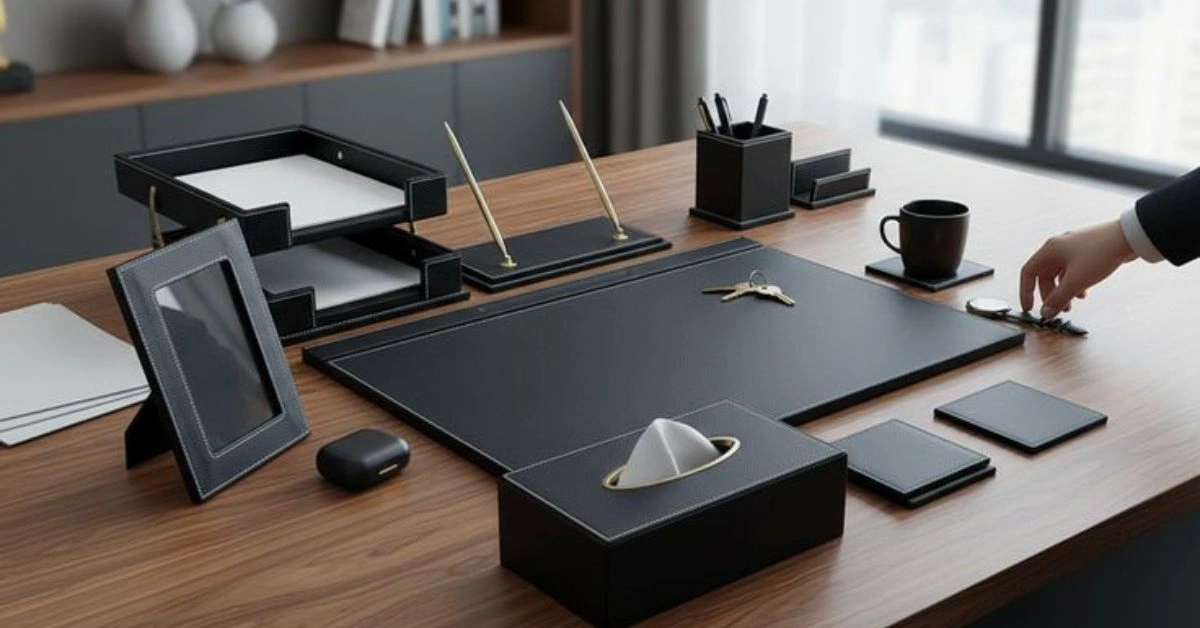
Work has changed. Hybrid and remote setups are now standard, and the old cubicle life feels like ancient history. People spend hours at desks, and the right tools make a measurable difference in focus, energy, and long-term health. Poor posture leads to back pain, stale air dulls thinking, and constant distractions kill deep work. Cool office gadgets bridge the gap between basic functionality and a setup that actually supports peak performance.
These aren’t flashy toys. They are practical investments that reduce burnout, sharpen cognitive performance, and make eight-hour days feel sustainable. From adjustable desks that fight sedentary habits to smart devices that manage your environment, the best cool office gadgets deliver real utility while looking sharp on your desk. This guide breaks down categories with specific recommendations, setup tips, and productivity strategies drawn from current workplace trends.
Productivity Powerhouses: Ergonomics and Efficiency
Start with the foundation: your physical interaction with the workspace. Ergonomics directly impact typing speed, error rates, and daily comfort.
Standing desks lead the category. Models like the UPLIFT V2 or Branch Duo let you alternate positions seamlessly, often with programmable heights and integrated cable management. Studies and user reports link sit-stand routines to better circulation, reduced fatigue, and improved focus. Pair one with a walking pad for light movement during calls—many fit under standard desks and add steps without disrupting workflow.
Keyboards and mice matter more than most realize. The Logitech Wave Keys offers a gentle curve that keeps wrists neutral, while mechanical options like Keychron V series deliver satisfying feedback with customizable switches. Ergonomic mice, such as vertical models from Logitech or Anker, reduce forearm strain for heavy users. Wireless versions with long battery life eliminate desk clutter.
Monitor arms free up space and allow precise positioning for multi-screen setups. Dual or triple displays boost multitasking—research shows they can increase productivity by 20-30% for information workers. Look for arms with gas springs for easy adjustment and VESA compatibility. Add a laptop stand to keep screens at eye level.
Specialized input devices shine for creatives and power users. Drawing tablets, programmable macro pads, and even AI-assisted tools like reMarkable Paper Pro for distraction-free note-taking fit here. Cable management systems—trays, sleeves, and magnetic clips—keep everything tidy, reducing visual noise that subtly drains mental energy.
Actionable Tip: Audit your current setup. Measure elbow height for keyboard placement (should be around 90 degrees) and ensure your screen top sits at eye level. Small adjustments here pay dividends in reduced neck strain within days.
Ambient and Environmental Optimization
Your surroundings influence mood and concentration as much as hardware. Smart lighting supports natural circadian rhythms. Philips Hue or Dyson Solar Cycle Morph lamps adjust color temperature and brightness automatically—cooler light for morning focus, warmer tones in the evening. These systems integrate with apps and voice assistants for scene presets tailored to deep work or video calls.
Desk air purifiers tackle indoor pollutants that cause fatigue. Compact units from brands like Coway, Mila, or smaller desktop models filter dust, allergens, and VOCs quietly. Many include real-time air quality sensors and auto-adjust fan speeds. In shared or urban spaces, they make a noticeable difference in alertness, especially during allergy seasons.
Acoustic management prevents distractions. Noise-cancelling headphones like Sony WH-CH720N pair well with white noise machines or acoustic panels. Desktop sound absorbers or even strategic plant placement help dampen echoes in home offices. Smart speakers with focus playlists add another layer without constant phone checks.
Temperature and humidity control round this out. Small desk fans with USB charging or integrated purifiers maintain comfort without cranking the whole-house HVAC.
Productivity Hack: Use lighting automation tied to your calendar. Morning energizing light, afternoon neutral, and evening wind-down cues signal your body it’s time to shift gears.
The Futuristic and Aesthetic Workspace
Modern desks can feel like command centers from sci-fi. Minimalist setups with RGB accents, floating monitors, and sleek accessories create an environment that inspires. Hover pens, 3D-printed organizers, and modular desk mats add personality while staying functional.
For those drawn to cutting-edge designs, explore bold concepts that blend advanced engineering with workspace utility. Ideas inspired by high-tech environments, such as those in the Space Force orbital warship carrier, push boundaries with integrated systems, adaptive surfaces, and immersive tech that make everyday desks feel advanced.
Wireless charging pads embedded in desks, gesture-controlled lamps, and AI-powered camera trackers (like OBSBOT) for flawless video calls elevate the experience. Monitor risers with built-in storage or transparent OLED displays represent the next wave. The goal is harmony—tech that disappears into the workflow rather than demanding attention.
Aesthetic choices matter psychologically. Coordinated color schemes, quality desk mats, and subtle LED underlighting reduce visual fatigue. Many enthusiasts mix premium materials like walnut with carbon fiber accents for a premium feel that motivates daily use.
Remote Work Security and Infrastructure
Smart gadgets introduce new vectors for risk. Connected devices expand the attack surface, especially on home networks shared with family devices. Strong fundamentals protect your setup.
Use a dedicated VPN for encrypted traffic, keep firmware updated on routers and IoT gadgets, and enable multi-factor authentication everywhere. Endpoint protection software and regular audits matter. When evaluating tools or services for your connected office, approaches like those detailed in a Scamalytics IP fraud detection review highlight the importance of verifying legitimacy and monitoring for suspicious activity—essential for entrepreneurs and remote teams handling sensitive data.
Physical security complements digital. Privacy screens on laptops, webcam covers, and secure docking stations prevent shoulder surfing. Password managers and hardware security keys (like YubiKey) add robust layers without slowing you down.
Choose gadgets with strong privacy reputations—brands that receive regular security updates and offer local control options where possible. Segment your network: work devices on a guest or IoT VLAN separate from personal use.
Practical Step: Run a quick audit. Check for open ports on your router, update all gadget firmware, and test your VPN speed to ensure it doesn’t hinder video calls.
Comparison Table: Top Cool Office Gadgets
| Gadget Category | Top Example | Utility (1-10) | Price Range | Setup Effort | Best For |
| Standing Desk | Branch Duo / UPLIFT V2 | 9 | $300–$800 | Medium | Posture & Energy |
| Ergonomic Keyboard | Logitech Wave Keys / Keychron | 8 | $50–$150 | Low | Typing Comfort |
| Air Purifier | Coway or Desktop Models | 8 | $80–$400 | Low | Focus & Air Quality |
| Smart Lighting | Philips Hue / Dyson Morph | 9 | $50–$300 | Low-Medium | Circadian Rhythm |
| Monitor Arm | Gas Spring Multi-Monitor | 8 | $40–$150 | Medium | Multi-Tasking |
| Security Tools | VPN + Hardware Key | 10 | $5–$100/mo | Low | Data Protection |
This table focuses on high-impact options with proven user satisfaction. Prices are approximate 2026 averages.
Mindful Breaks and Mental Clarity
Sustained focus requires intentional recovery. Gadgets that prompt movement or hydration prevent the afternoon crash.
Smart water bottles with LED reminders (like HidrateSpark) track intake and sync to apps. Under-desk walking pads or balance boards encourage micro-movement. Portable massage guns or foot rollers provide quick relief for tight muscles.
Desk plants or small humidifiers improve air and mood. Apps paired with wearables can guide 5-minute stretches or breathing exercises. Some setups include timed light alarms that cue break periods.
These tools make wellness automatic rather than another task. A quick walk or stretch every 60-90 minutes resets attention and creativity.
Wrapping Up: Building Your Ideal Setup
Cool office gadgets transform a functional space into one that actively supports your best work. Prioritize ergonomics first, then layer environmental controls, security, and wellness tools. Start small—maybe a better chair and keyboard—then expand based on pain points.
The most effective setups evolve with you. Test, measure your output and energy, and adjust. In a world of hybrid demands, investing in tools that enhance both performance and enjoyment delivers compounding returns.
FAQs
1. What are the most essential cool office gadgets for beginners?
Focus on ergonomics: a good chair, standing desk converter, and ergonomic keyboard/mouse. These address the biggest daily discomforts quickly.
2. How much should I budget for a solid cool office gadget setup?
$300–$800 gets you core productivity items. Add $200–$400 for smart lighting and air quality. Security tools are often low-cost subscriptions.
3. Do smart office gadgets compromise security?
They can if neglected. Stick to reputable brands, update firmware, use VPNs, and isolate IoT devices on separate networks. Verification practices help spot risks early.
4. Which gadgets help most with focus and reducing burnout?
Lighting for circadian alignment, noise management tools, air purifiers, and movement prompts like walking pads. Combined, they support sustained energy.
5. Are futuristic desk setups practical for everyday work?
Yes—modular, wireless, and AI-integrated options blend style with function. Start with aesthetic accessories and scalable tech that grows with your needs.
For More Information Visit Aitrender.